■ killclog.com
RuneLite Plugin Hub · September 3, 2026
Kill Clog has grown since this release: what it does now.
Character publishing
Bring your current player and active follower to your killclog.com profile.
Kill Clog 2.1.0 adds a one-click character publishing action inside the RuneLite panel. Your character appears beside the Collection Log and boss data already on your public profile.
01 · RuneLite settings
Enable both opt-ins
Open the killclog.com section in Kill Clog's settings. Turn on Sync Collection Log to Killclog.com, then turn on Character model.
Both settings are off by default. Collection Log sync creates the public profile; it does not publish your character by itself.
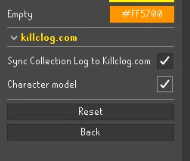
02 · Kill Clog panel
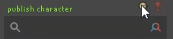
Click publish character
Open the Kill Clog panel. Hover the small character icon at the right side of the status row until it reads publish character, then click it.
The status changes to rendering... and then character published! when the new model is ready.
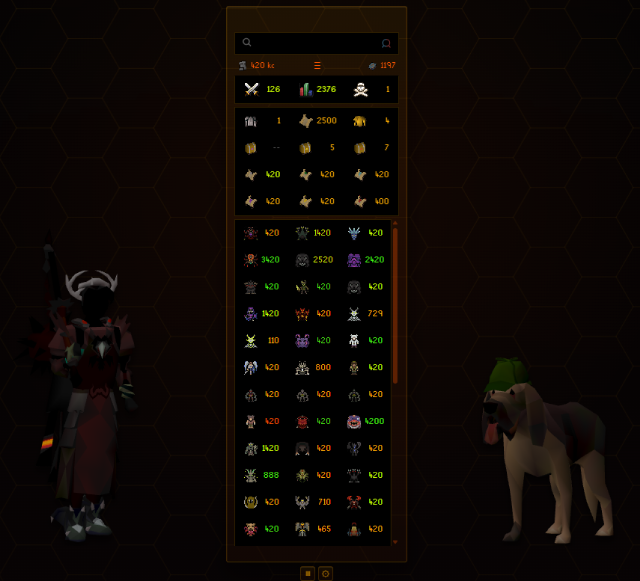
03 · Your public profile
See your character beside your collection
Open your profile on killclog.com/p/. Your player model appears to the left of the boss grid, with your active follower on the right. Change your gear, colours, or follower? Click publish character again to update it.
Can't see the character icon? Make sure both settings are enabled and open your Collection Log once so Kill Clog has local data to sync.
What gets published
Kill Clog sends your RuneScape name and account hash with a constrained appearance recipe: equipment and body-colour IDs, supported item colour or texture overrides, game and plugin versions, idle pose, and the NPC ID of your active follower.
It never uploads a screenshot or rendered model. Trusted Kill Clog code validates the recipe and renders the character for your profile.
Turning off Character model stops new publishes but does not remove an appearance already on your profile. Use the opt-out page to remove your published data.
Also included in 2.1.0
Steadier pinned tooltips
While a hover-mode tooltip is pinned open, Kill Clog now suppresses new summary popups until the pinned tooltip closes.